

LeRobotDataset class and training pipeline. Setting "storage_format": "lance" in the dataset selects the Lance reader without changing how the rest of the workflow works.
What you get:
- Train from object storage while keeping your GPUs fed. Lance reads random frames straight from S3, GCS, the HF Hub or HF Storage Buckets, fetching only the bytes each batch needs, so every batch can be a global shuffle: any frame, from anywhere in the dataset. Upstream gives you two ways to train: download the dataset and shuffle from local disk, or stream it from the Hub and shuffle inside a window of buffered frames. The left half of the table gives Lance the exact batches the streaming reader produced. The right half is the global shuffle, Lance with nothing downloaded against upstream on local NVMe after the download. Samples/s, 8 workers, batch 64, mean of two runs. RAM is the whole loader:
The shuffle window is 0.05% of the dataset, at least 5,000 frames: 5,000 on the small sets, 13,815 on DROID. Streaming DROID at that window needs 122 GB, so those two runs used a 256 GB machine with the same decode speed. The DROID pair is noisy: Lance 684 and 1,124, streaming 303 and 653.
Same batches: Lance from an object store is 1.9x faster than upstream streaming on DROID and 5x to 15x on the other datasets, with 8 GB of RAM against 122 GB on DROID. Global shuffle: Lance with nothing downloaded is 1.1x to 1.7x faster than upstream reading local NVMe after the download. berkeley_rpt, toto and soarm101 are left out because their metadata lists frames the videos do not have;
lerobot-lance-doctor reports that before you train.
- Faster iteration, end to end. 10,000 steps of SmolVLA on DROID, 8xH100, lerobot’s default
num_workers=4, same seed:
Training reached the same result, but finished 33 minutes faster and avoided a 384 GB download upfront. The savings come from reducing the time GPUs spend waiting on data, so they compound over longer runs. At 100k steps, that adds up to more than five hours saved, and every re-run and sweep benefits again.
- The training table is also the index. Parquet has no secondary indexes, so finding frames instead of scanning them usually means another system per question, such as a vector database for embeddings, a search service for instructions, a feature store for scores. With Lance, those are columns and indexes on the same table the DataLoader reads. One query spans all of them, at a version the trainer can reopen.
Install
On macOS, use Python 3.12 or 3.13. Lance datasets with RGB video require TorchCodec, which does not fall back to PyAV in the Lance reader. If TorchCodec cannot load FFmpeg, install FFmpeg 8:Verify with
python -c "import torchcodec".Convert a dataset
Any LeRobot v3.0 dataset, from the Hub or a local directory:meta/ as is and adds three Lance tables (frames, videos, meta). lerobot-lance-doctor audits the result and often finds problems in the source. For example, DROID carries 44% orphaned rows, and three of eight public datasets we converted have frame-count defects that random access exposes.
Host the result anywhere: an HF dataset repo (hf upload, tag it v3.0), an HF Storage Bucket (hf buckets sync), or any object store (aws s3 sync).
Load and train
An explicitroot works for any object store: LeRobotDataset("lerobot/pusht", root="s3://my-bucket/pusht-lance"). Remote roots download only meta/. Data is fetched per batch. Temporal windows, DataLoader and the rest of the training stack work unchanged:
Or from the CLI. Held-out evaluation on a remote dataset needs random access, so it only works on the Lance path:
Visualize your training data directly in Foxglove
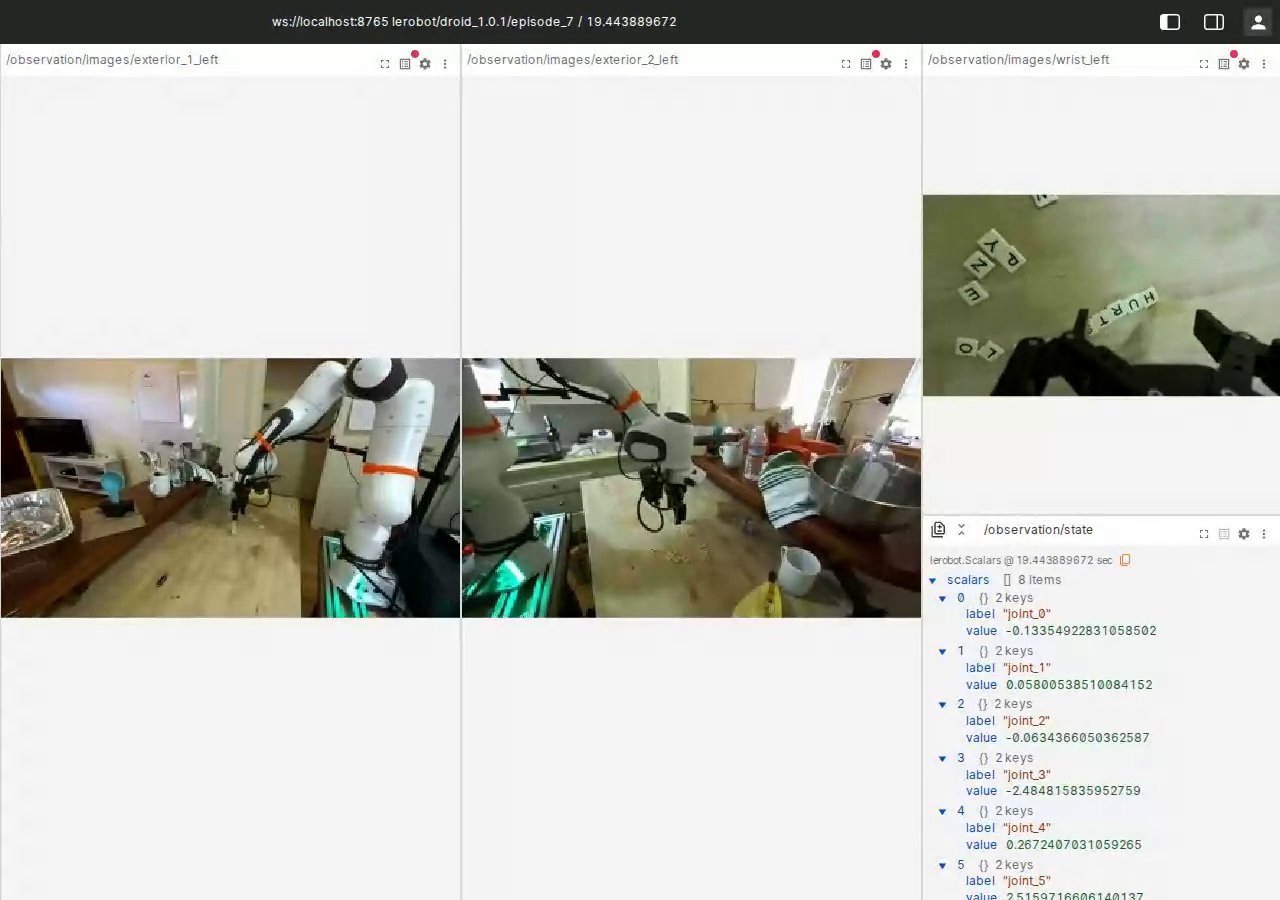
LeRobot’s dataset viewer can serve an episode to Foxglove over its WebSocket protocol (lerobot#4542), and with a Lance dataset it works wherever the data lives:ws://localhost:8765, and scrub. Cameras, joint state and actions show up as topics you can lay out however you like:
Query, curate, enrich
The frames table is a LanceDB table like any other: Filter with SQL over any feature, using the indexes built at conversion: From here it is standard LanceDB. The examples below are from our DROID walkthrough, all on the table the trainer reads. Derived columns are added without rewriting existing data. With Geneva,add_columns registers a Python function and its input columns as a new derived column. No values are computed at that point. backfill computes and stores the derived values later, in parallel, without rewriting the existing columns or video blobs:
tbl.search().where("jerk_score > 1.2875 AND success = false") pulls the rough, failed frames out of 27.6M rows in milliseconds, ready to become a fine-tuning set or a labeling queue.
EDA is a scan of the tabular columns: a pass over all 27.6M rows reads 2.52 GB in 190 s and decodes no video.
Then drop what you found from training with episodes=[...] instead of rewriting files. The reader ignores columns it does not know, and the table is versioned, so curation and training share one copy of the data at a version you can reopen.
Lance datasets are read-only in LeRobot: record and edit in the default format, then convert.
lance-format/pusht-lance and other datasets in the lance-format organization.