

Qwen2.5-VL-3B-Instruct, fine-tuned with the QLoRA method. The data backbone is one Lance table that evolves from raw multimodal rows into training-ready features.
The key idea is simple: in this QLoRA fine-tuning setup, we freeze the VLM’s image encoder and train only a small adapter on the language-model side. We call that encoder the vision tower in this example: it is the part of the model that turns image pixels into visual hidden states before the language model reads them alongside the text prompt.
Because the vision tower’s weights do not change during fine-tuning, its output for a given image also does not change. That means the pipeline can compute those visual hidden states once, store them as a fixed-size Lance column, and reuse them in every epoch instead of recomputing them in every training step. This also helps the run fit comfortably on a small GPU, because the training job does not need to keep the vision encoder active or pay for its forward pass on every batch.
Open the Colab demo
Run the Colab-sized workflow on a free T4: download the pre-baked Lance subset, explore it, benchmark Lance vs Parquet, fine-tune with QLoRA, and evaluate base vs tuned answers.
View the full demo source
Full demo repository with the notebook, Geneva UDFs, direct backfill fallback, dataloader, training loop, and evaluation scripts.
What you get
On the curatedtext_dense TextVQA slice, the demo fine-tunes Qwen2.5-VL-3B-Instruct with QLoRA and evaluates on held-out images:
The larger point is not the absolute score, because you could just as well fine-tune a better base model on more data. The main takeaways are the workflow and quality-of-life improvements that you get when you combine LanceDB and Geneva:
- Add expensive features as new columns without rewriting the raw dataset.
- Read fixed-size model features efficiently for shuffled PyTorch batches.
- Iterate quickly from feature idea to scalable CPU/GPU backfill, using Geneva UDFs.
Why LanceDB fits this workflow
VLM fine-tuning pipelines spend a lot of time between “I have an experiment idea” and “I trained the model.” LanceDB shortens that loop in three places.Cheap feature evolution
Lance can append derived columns such as
ocr_token_count, dhash, vision_tower_hiddens, and tokenized SFT prompts without rewriting the existing image/question/answer columns or managing sidecar files.Efficient training reads
Lance is optimized for scans and random access over fixed-size lists, which are common in model training: embeddings, hidden states, token IDs, masks, and labels.
Fast experiment turnaround
Geneva lets AI engineers express feature work as UDFs, run those UDFs across CPU or GPU workers, and materialize the results directly into the same Lance table.
Pipeline overview
The runnable demo uses the exact Colab subset hosted atlance-format/textvqa-lance-colab. It is derived from the Lance-formatted TextVQA corpus and stores inline JPEG bytes, questions, answers, OCR tokens, object classes, CLIP image/question embeddings, and the cached training features used by this example. The full demo pipeline adds three tiers of derived features on top.
Tier 1: text features
Cheap CPU columns such as
question_length, answer_length, question_type, and ocr_token_count.Tier 2: light image features
Image-derived columns such as
dhash, computed by decoding the JPEG once and storing a perceptual hash.Tier 3: VLM training features
GPU-heavy columns:
vision_tower_hiddens plus SFT token fields (input_ids, attention_mask, labels).1. Start with a multimodal LanceDB table
The base schema comes from the TextVQA Lance dataset. One row contains the image bytes, natural-language question, reference answers, OCR tokens, scene tags, and retrieval embeddings.Python
image_emb with a question embedding that already exists in the row.
2. Add feature columns with Geneva
Geneva turns feature engineering into UDF definitions plus backfills. The UDFs can be simple text functions, image-processing functions, or stateful GPU model calls. The Tier 1 features are ordinary CPU UDFs:Python
Python
IMAGE_PX = 560, Qwen2.5-VL produces 400 merged visual tokens, each with hidden size 2048. That becomes one fp16[400 * 2048] column per row. Training can scan and randomly access that column without decoding images or running the vision tower in the hot loop, saving GPU compute at training time.
Run the tiered backfill with Geneva:
bash
vlm/geneva_udfs.py and the backfill driver in vlm/backfill_geneva.py.
3. Curate a training slice
The demo uses atext_dense slice: TextVQA examples whose images contain many OCR tokens. The slice was chosen empirically because it gave the clearest LoRA lift over the already-strong base model.
Python
bash
4. Explore the prepared table
Before training, it helps to look at the actual task. Each row pairs an image with a question whose answer is often visible as text in the image: a product label, phone screen, sign, book spine, or package.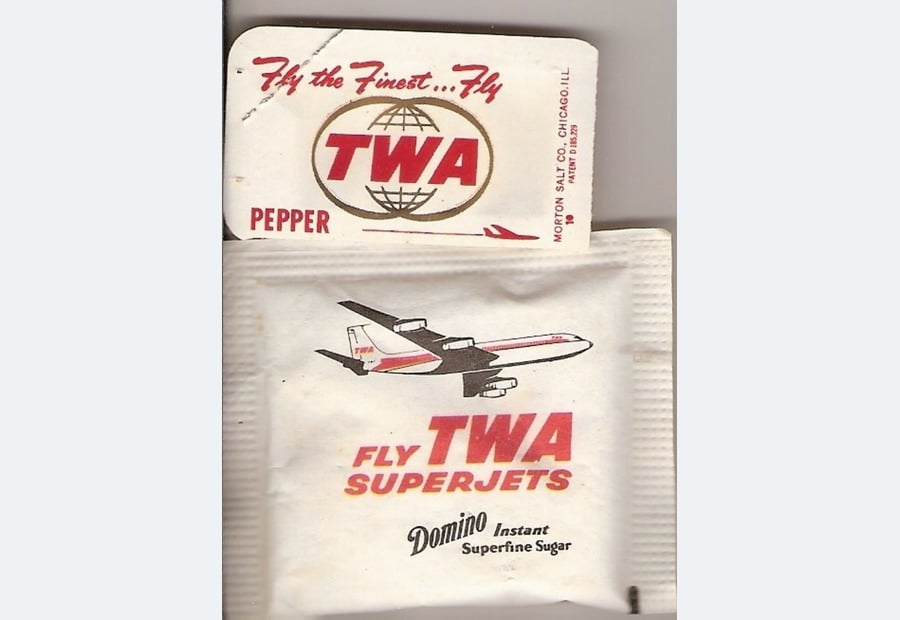
Q: what is the name of the airline on the sugar packet?
A: TWAOCR: 7h the Finest… 74 1E TWA 8 SALT REESE PEPPER
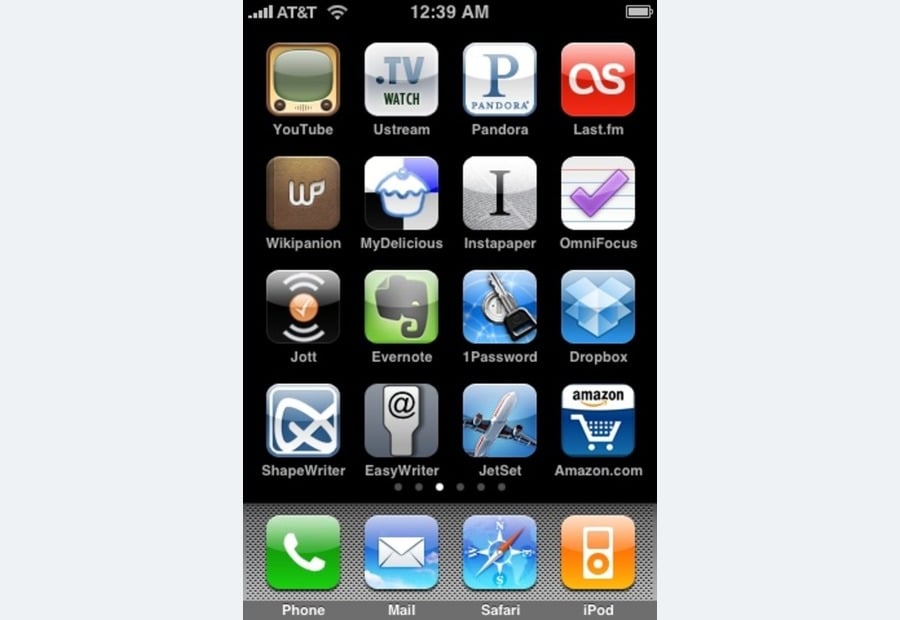
Q: what time is displayed?
A: 12:39 amOCR: AT&T 12:39 AM TV CS WATCH P PANDORA YouTube Ustream
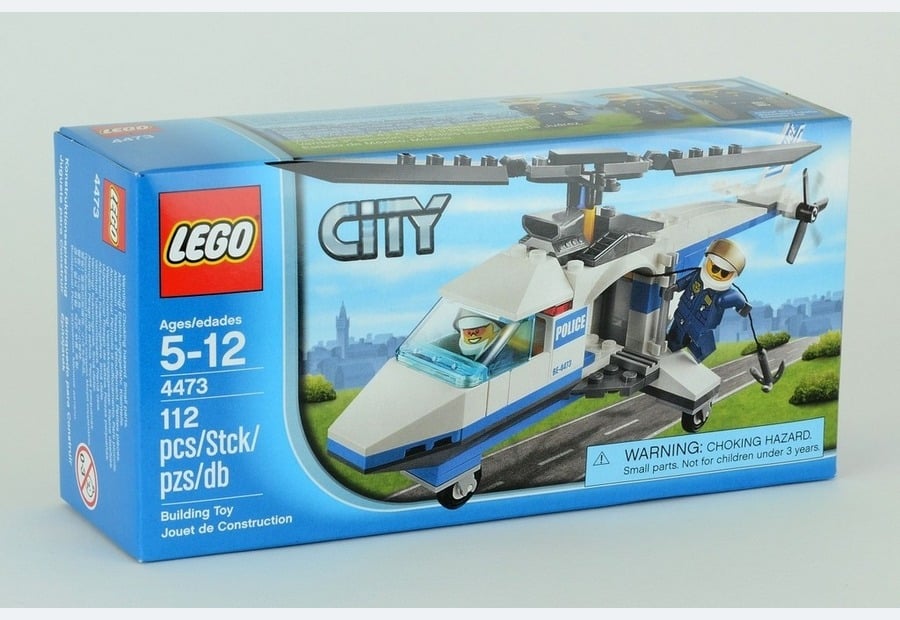
Q: what brand of building block is this?
A: legoOCR: LEGO CITY Ages/edades 5-12 POLICE B-403 4473 112 112 pcs
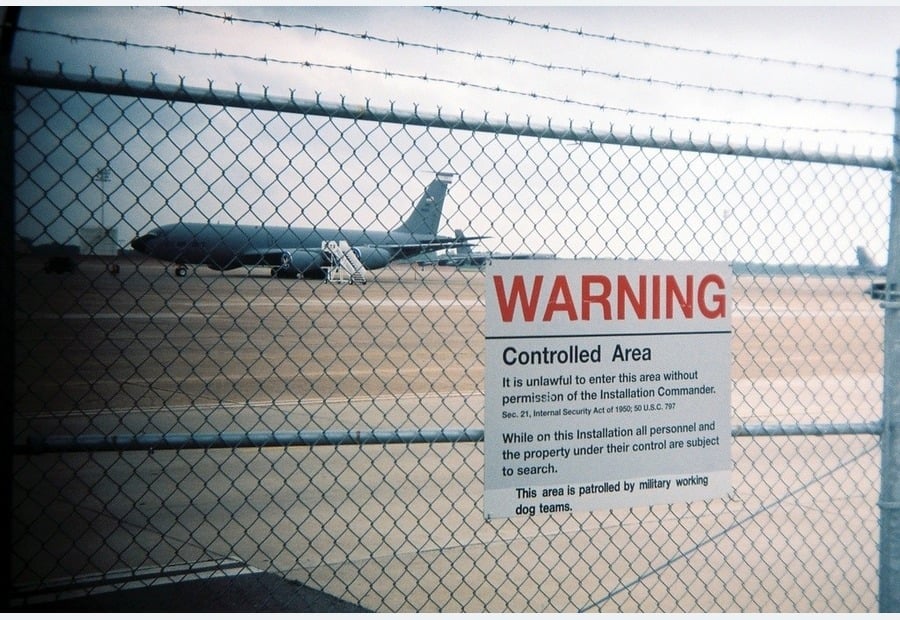
Q: what is printed in red?
A: warningOCR: WARNING Controlled Area Itis unlawf enter thisre without permission nstallation
Python
Python
5. Benchmark Lance vs Parquet-style reads
Many training pipelines start with Parquet. Parquet is excellent for columnar analytics, but training commonly needs shuffled batches and fixed-size tensor columns. The notebook compares Lance and Parquet on two access patterns:
The notebook mirrors those column groups to uncompressed Parquet, then measures sequential scans and shuffled random batches:
Python
The takeaways are workload-specific:
- For a traditional sequential scan over raw image/question/answer columns, Parquet is faster in this run: 8,311 rows/s vs 2,603 rows/s.
- For shuffled raw multimodal batches, Lance is faster because training reads scattered rows repeatedly instead of streaming the file once.
- For cached fp16 fixed-size arrays, Lance is about 16x faster than Parquet on the sequential scan. This is the training-relevant path in this example: the model reads
vision_tower_hiddens, token IDs, masks, and labels as fixed-size columns. - The benchmark intentionally skips the Parquet fp16 shuffled case. Parquet would re-decode whole row groups for each random batch, which is slow enough to distract from the real use case. The sequential fp16 row already shows the layout gap, while Lance shuffled reads remain fast.
6. Load cached columns with the Permutation API
The training DataLoader projects only the columns needed by the cached training loop:Python
Permutation, reads Arrow batches directly from Lance, and avoids per-row Python object conversion until the collate function converts arrays into tensors.
The training batch contains:
7. Fine-tune without loading the vision tower
The training process loads the language-model side of Qwen2.5-VL in 4-bit, deletes the vision tower, and wraps the LLM projections with LoRA adapters. During the forward pass, the model embeds the token IDs, finds the<|image_pad|> positions, and inserts the cached visual hidden states into those positions:
Python
Python
8. Evaluate on held-out images
Evaluation uses the held-out validation table and loads the full VLM, including the vision tower. That is intentional: inference should see raw unseen images, not the cached train features.Python
The tuned adapter is not meant to be a state-of-the-art TextVQA checkpoint. It is the proof point for the pipeline: the same Lance table supports curation, feature engineering, efficient training reads, and evaluation on held-out raw images.
The notebook renders side-by-side examples: image, question, base answer, tuned answer, and ground truth. This closes the loop from feature idea to trained model while keeping the source data, derived features, training batches, and evaluation split in Lance.
Full source
The complete demo implementation with helper scripts and usage instructions is in this repo.Notebook
The runnable Colab workflow: download, explore, benchmark, train, and evaluate.
Geneva UDFs
Tier 1, Tier 2, and Tier 3 feature definitions.
Backfill driver
Geneva-powered feature materialization.
Training loop
QLoRA training from cached Lance columns.